You Can Use Product Avatar Maker For

Product listings
Introduce a product with a recognizable presenter on the listing page.
PromptThe presenter raises the bottle to chest height and turns its label toward the camera.
UGC ads
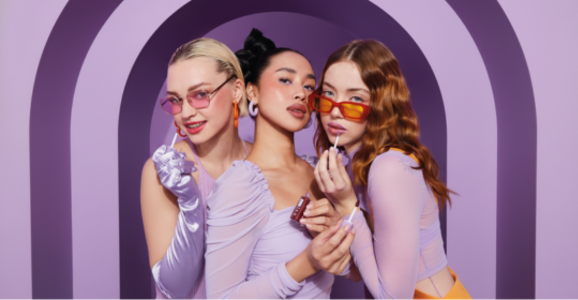
Show a short demonstration in a familiar home setting.
PromptFrame the presenter from the shoulders up as she shows the compact by a window.
Launch explainers
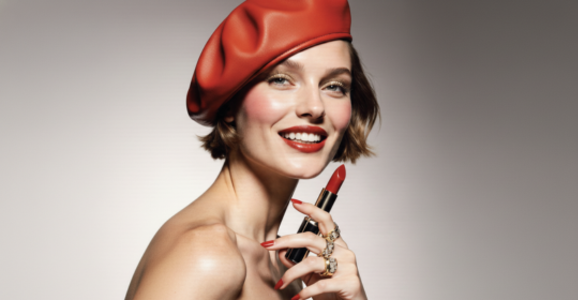
Introduce one feature at a time in a launch video.
PromptOpen on the presenter, then move in on the control she points to.

Host-led content
Keep a consistent host across product explainers.
PromptThe host places the item on the counter and shows its side profile.
Why Choose Product Avatar Maker
Presenter library
Choose from the available portraits and preview the selected presenter.
Product photo
Use the first reference for the item you want to feature.
Presenter audio
Grave ou envie sua voz, ou gere e ouça uma narração a partir do roteiro.
Meus arquivos
Encontre e baixe o vídeo pronto em Meus arquivos.
Frame for the channel
Compose for a square feed, a vertical story or a landscape player.
Advanced Features
Visual references
Keep the presenter and product in separate reference images.
Script and direction
Write the dialogue separately from the visual instructions.
Presenter library
Choose from the available portraits and preview the selected presenter.
Frame for the channel
Compose for a square feed, a vertical story or a landscape player.
FAQ
Primeiro, confira a imagem do apresentador com o produto. Depois, anime a imagem com a faixa de voz escolhida.
Escolha uma foto nítida do produto e um retrato de frente. Mantenha a boca visível na imagem composta.
Use a clear image with the whole item visible, then describe how the presenter should hold or show it.
Choose the reference images and enter a short direction. The studio guides the remaining settings.
O InfiniteTalk anima o apresentador com a gravação escolhida. Ouça a faixa antes de criar o vídeo.
Escolha o enquadramento da imagem e a resolução do vídeo, 480p ou 720p. A duração do áudio define a duração do vídeo e o preço.
Escreva o roteiro no idioma desejado e ouça uma voz MiniMax, ou envie uma fala nesse idioma.