Model
Reference images (optional)(0/10)

Drop images here or choose files

JPEG, PNG, WebP · Maximum 10MB each · Up to 10 images

The first reference image is free. Each additional reference image adds 1 credit.

0/5000
Aspect ratio
Resolution
Privacy Mode
Output credits10
Reference image credits0
Total10
Credits required: 10
Demo

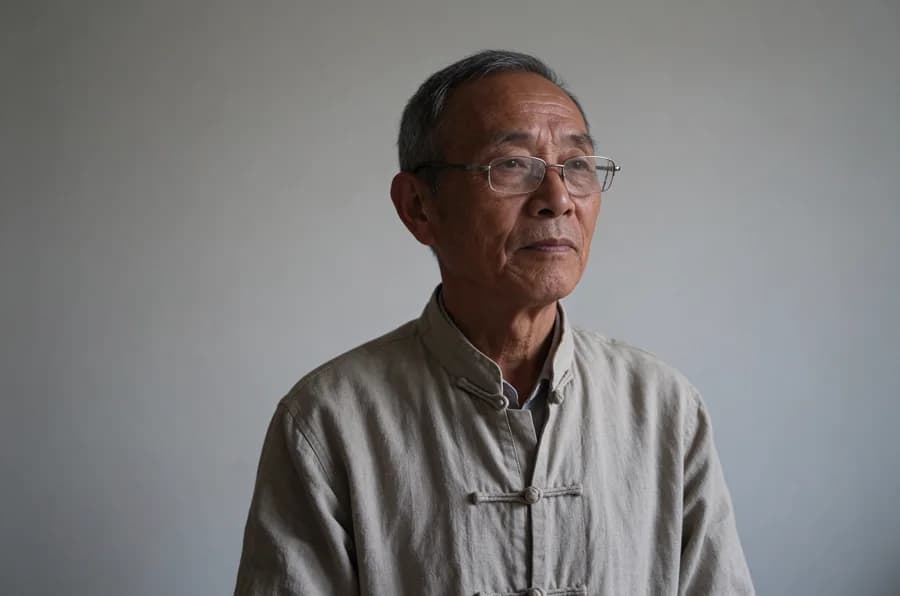
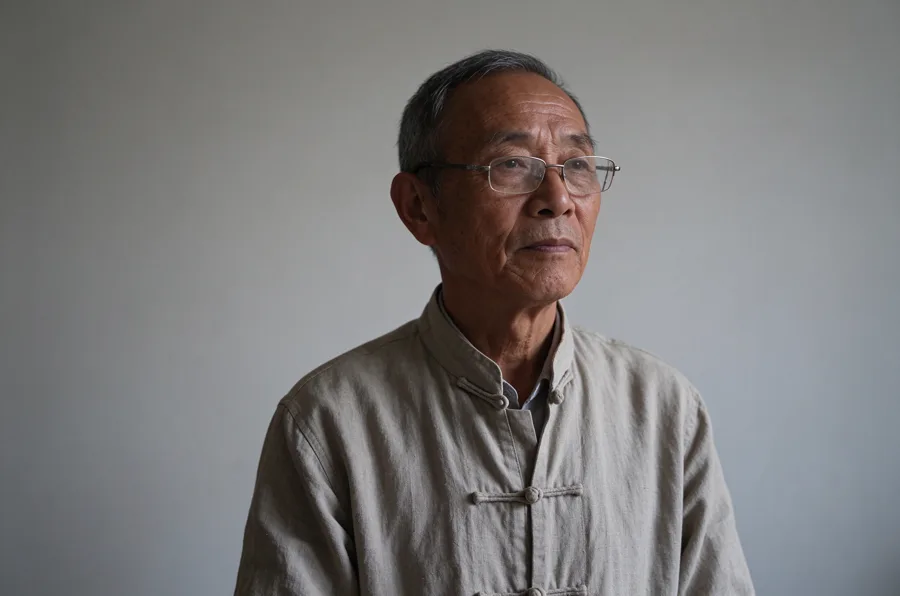
A supplied preview portrait exploring facial lines, glasses, fabric texture and soft lighting.

Realism in the detailsSeedream 5.5 preview material
Seedream•5.5

No history yet

Seedream 5.5 preview

Seedream 5.5 AI Image Generator & Editor

Explore the next Seedream workflow: precise edits, clearer visual detail and reusable design assets.

Explore Seedream 5.5, an image generation and editing model in ByteDance's Seedream family. Its examples combine image quality and editing consistency with transparent assets and layer separation, helping creators move from a single image toward a more flexible design workflow.

What's new in Seedream 5.5?

Explore Seedream 5.5 through editing, typography, transparent assets and layered design examples.

Precise editing across multiple rounds

Seedream 5.5 is designed to change selected subjects, objects or regions while keeping the rest of the image consistent. Refine a product scene, adjust an outfit or develop a portrait through successive instructions with less repeated retouching.
More realistic images and natural reference blending

The preview emphasizes more natural expressions and proportions, clearer material textures and sharper detail at the same resolution. Combining reference images aims to preserve subject identity while bringing scale, perspective and lighting into a coherent scene.

Small text and multilingual layouts

Seedream 5.5 targets readable small text, dense information and multilingual copy in product labels, posters and infographics. Its preview examples cover different writing systems. Review spelling, numbers and factual content before publishing a finished design.

Transparent and semi-transparent image generation

The Seedream 5.5 preview describes transparent backgrounds in both text-to-image and image editing workflows. Create reusable cutouts, decorative lettering and game assets, including translucent details that need more than a simple background removal.

Layer separation with text recognition

The preview describes separation into up to 100 background, element and text layers, including semi-transparent elements. Text recognition can return PNG layers and structured text data. Editing the recognized text requires a downstream design tool; this is not an editable-text feature in the generator above.

Flexible sizes, including 4K UHD

Seedream 5.5's preview specifies custom dimensions up to approximately 8.29 megapixels, including 3840 × 2160 at 16:9. The 1K, 1.5K and 2K presets are shortcuts rather than the full size limit.

Seedream 5.5 preview gallery

These supplied Seedream 5.5 images and videos showcase the model. They are separate from results created with the Seedream 5.0 Pro tool on this page.

Seedream 5.5 preview portrait of an older woodcarver wearing glasses and a textured linen jacket

Seedream 5.5 preview material

Realism in the details

A supplied preview portrait exploring facial lines, glasses, fabric texture and soft lighting.

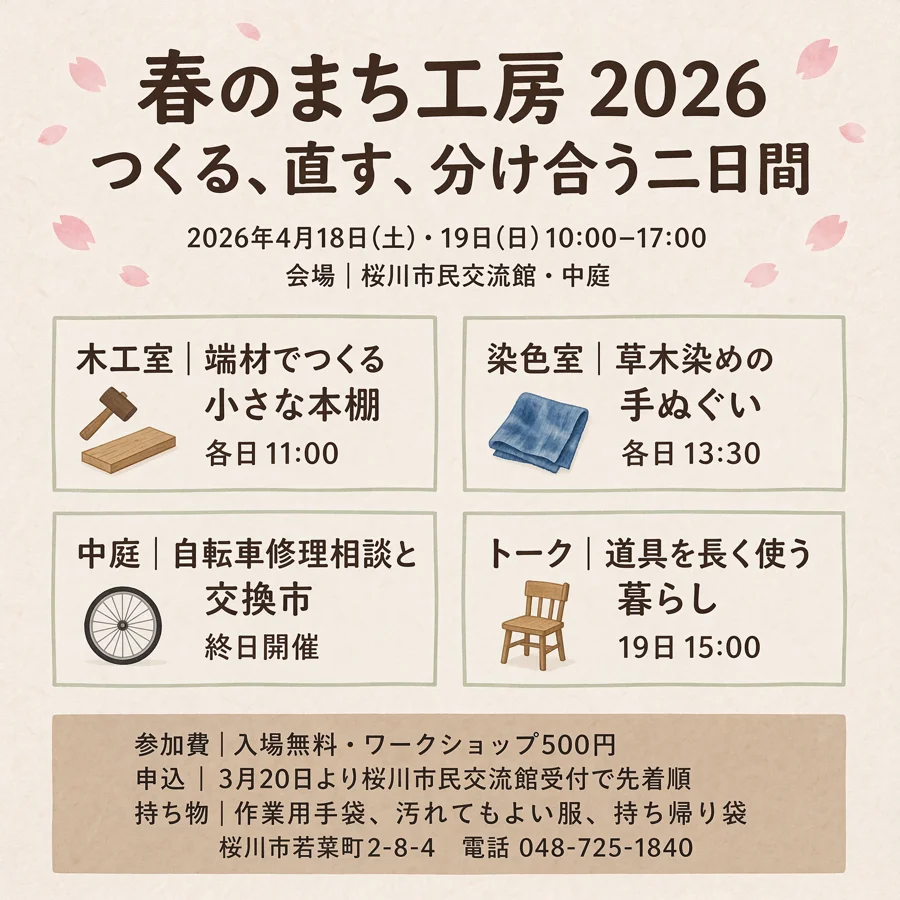
Seedream 5.5 preview of a Japanese community craft event poster with schedules, prices and small text

Seedream 5.5 preview material

Information-rich Japanese typography

A supplied Japanese event-poster example combining a clear hierarchy with dense practical information.

Seedream 5.5 preview material

Seedream 5.5 transparent image preview

A supplied Seedream 5.5 preview showing transparent and semi-transparent assets on different backgrounds.

Seedream 5.5 preview material

Seedream 5.5 layer separation preview

A supplied Seedream 5.5 preview demonstrating separation into up to 100 layers and text recognition for downstream editing.

Design workflows to explore with Seedream 5.5

E-commerce product campaigns

Bring product references into new scenes, refine lighting and materials, and prepare transparent assets for storefront layouts.

Portraits and creative retouching

Explore natural expressions, realistic skin and clothing textures, then iterate on selected details while retaining the subject.

Multilingual marketing

Develop information-rich posters and labels for different languages, checking small text and layout before distribution.

Reusable design assets

Prepare backgrounds, decorative elements and text layers for compositing, localization and further work in your design tools.

Seedream 5.5 preview vs. Seedream 5.0 Pro today

Generation and editing

Seedream 5.5 · Preview
Preview focuses on multi-round consistency, realism, reference blending and multilingual text.
Seedream 5.0 Pro · Available now
Text-to-image and reference-guided editing with up to 10 reference images.

Output size

Seedream 5.5 · Preview
Custom sizes up to approximately 8.29MP, including 16:9 4K UHD, are described in the preview.
Seedream 5.0 Pro · Available now
Use the existing 5.0 Pro resolution and custom-size controls; the generator shows the applicable credit cost.

Transparency and layers

Seedream 5.5 · Preview
Transparent and semi-transparent assets, plus up to 100 separated layers with optional text recognition.
Seedream 5.0 Pro · Available now
The current tool does not expose native transparency or layer separation controls.

For more Seedream 5.5 examples, see Dreamina's model page. Tools and supported features may differ between platforms. Read the official preview →

Seedream 5.5 FAQ

What is new in Seedream 5.5?

The preview highlights precise multi-round editing, more realistic reference blending, improved small text and multilingual rendering, transparent images, layer separation and flexible high-resolution output. These are preview capabilities, not controls currently available in the 5.0 Pro tool.

How can I create images on this page?

Yes. Enter a prompt in the Seedream 5.0 Pro generator above, optionally add reference images, choose your settings and review the credit total. The tool creates a 5.0 Pro image, not a Seedream 5.5 image.

Does Seedream 5.5 support transparent images?

The preview describes transparent and semi-transparent backgrounds for text-to-image generation and image editing. These capabilities are not enabled in the current Seedream 5.0 Pro generator on this page.

Can Seedream 5.5 create editable layers?

The preview describes up to 100 separated layers and optional text recognition. Recognized text is returned as structured data alongside PNG layers; further text editing needs a downstream tool.

Does Seedream 5.5 support 4K images?

The preview specifies up to approximately 8.29 megapixels with custom width and height, including 3840 × 2160 at 16:9. This does not mean every aspect ratio has the same dimensions.

Can Seedream 5.5 render multilingual text?

Small text, dense layouts and multilingual copy are key areas in the preview. Product labels, event posters and infographics are relevant use cases. Always review spelling, dates, prices and other important text in generated images.

Explore Seedream 5.5. Create with Seedream 5.0 Pro.

Explore the Seedream 5.5 preview, then turn your current ideas into images with the available Seedream 5.0 Pro generator.

Explore related models and tools